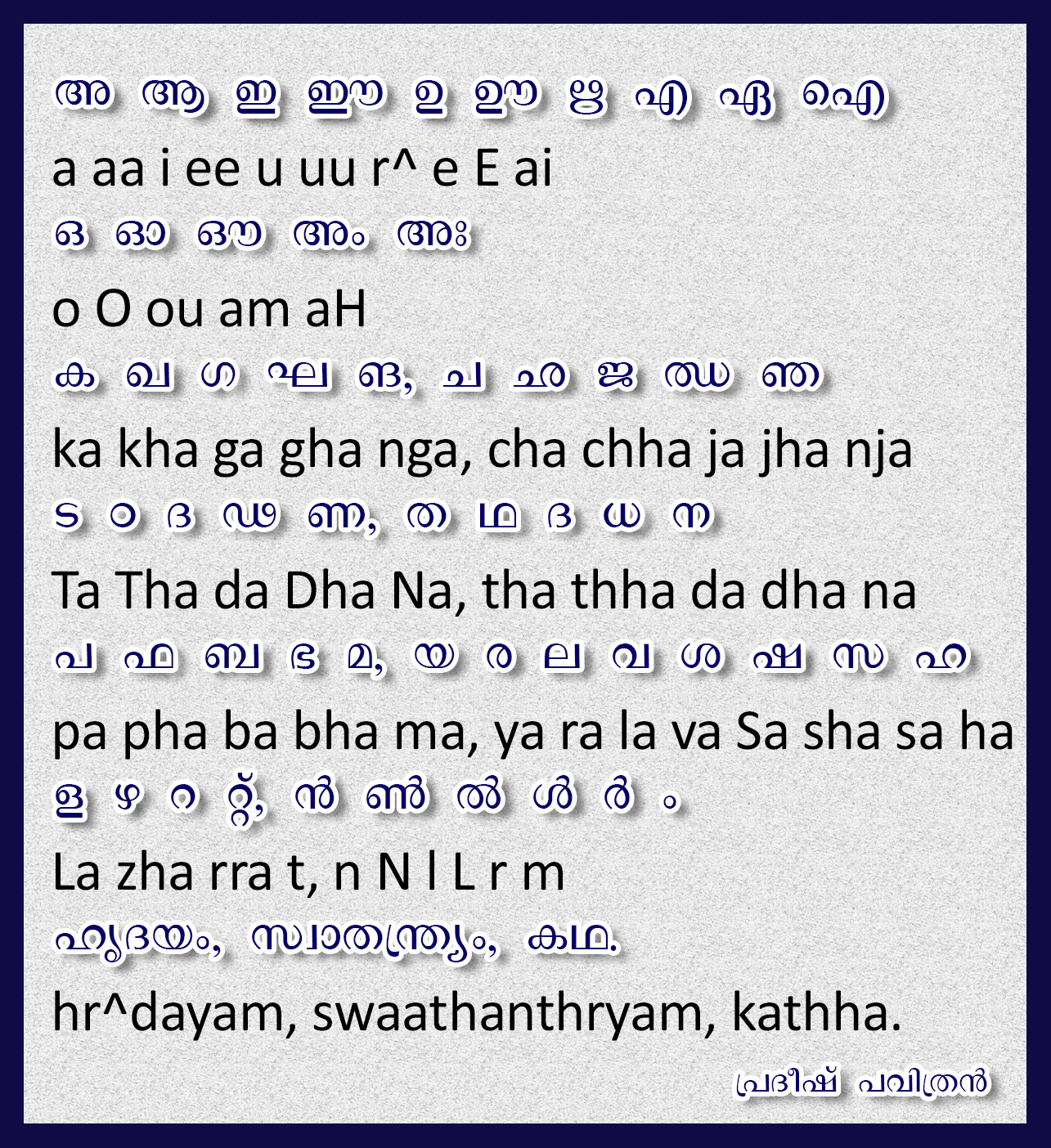
I am here to introduce a Software for you, which is known as TYPEIT!
I have seen some people are using character Map to write Malayalam in Photoshop, this is for them.
Actual use of this software is to write Malayalam through your keyboard, I am not here to talk about that.
You can use GOOGLE INPUT TOOLS to write Unicode Malayalam and use this Software to convert it to Malayalam font, I prefer to use FML Fonts for this purpose, if you don't have FML fonts I have provided it in the bottom.
Please see below screenshots to see the use of this software:
Copy the typed Unicode Malayalam from Google Input Tools by pressing Ctrl+C, open the TYPEIT! Software and select Convert > Paste from > 1. Unicode as shown in the below image.
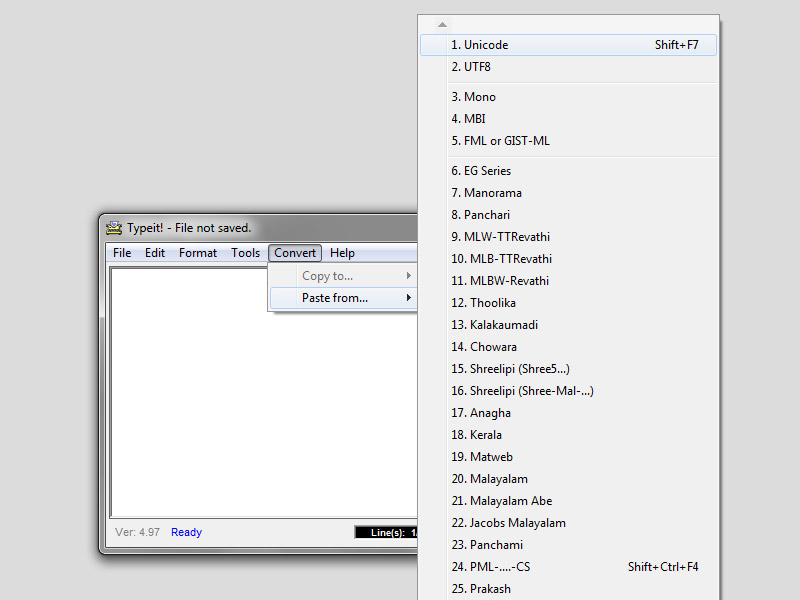
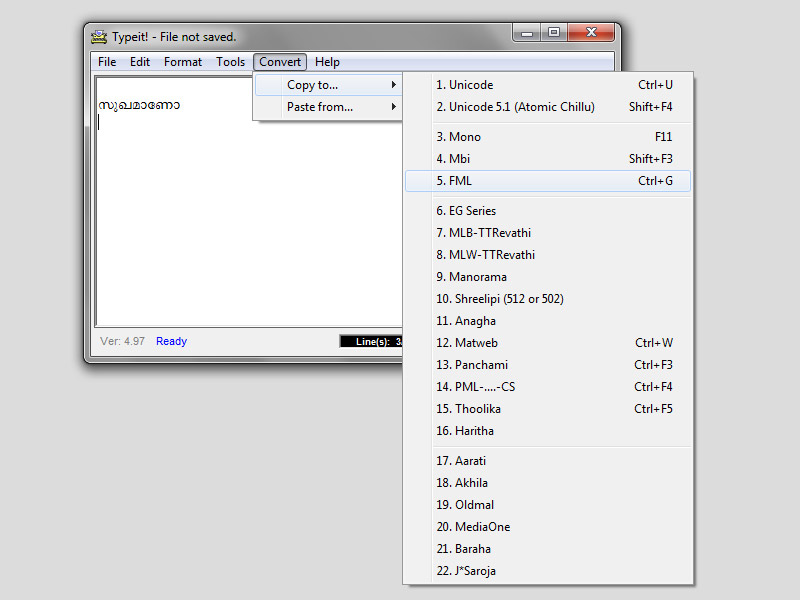
it will show the copied word in the window, now again convert the word to FML as shown in the image or press Ctrl+G
I have seen some people are using character Map to write Malayalam in Photoshop, this is for them.
Actual use of this software is to write Malayalam through your keyboard, I am not here to talk about that.
You can use GOOGLE INPUT TOOLS to write Unicode Malayalam and use this Software to convert it to Malayalam font, I prefer to use FML Fonts for this purpose, if you don't have FML fonts I have provided it in the bottom.
Please see below screenshots to see the use of this software:
Copy the typed Unicode Malayalam from Google Input Tools by pressing Ctrl+C, open the TYPEIT! Software and select Convert > Paste from > 1. Unicode as shown in the below image.
it will show the copied word in the window, now again convert the word to FML as shown in the image or press Ctrl+G
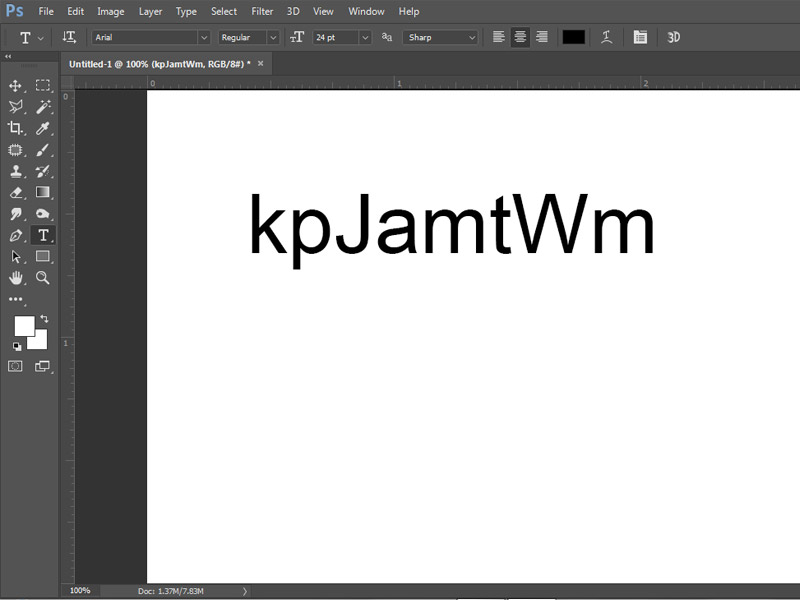
Open Photoshop select type tool and paste it there, you will get something like this, my selected font was Arial in this.
Select the word and in the font selection type FML to view the installed FML fonts as shown below.
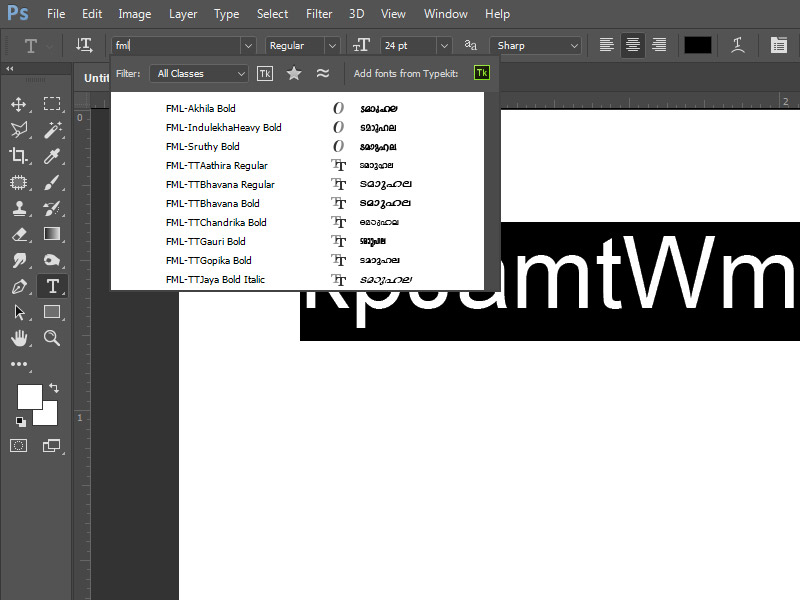
Here I selected the font FML-Sruthy, the final result is shown in below image

You can download FML fonts from below site