loading

loading

May 01, 2013

How to get gmail contacts on my iPhone?

Some of my friends was using Samsung, and they synchronized and keep updating their contacts with GMail. Now some of them bought Apple iPhone and wants to get their contacts from GMail server. They tried so many Apps for that and the funniest part is that, they spend money on some kind of apps to do the sync and failed to do that.

Here I am giving a easy way to the the Syncing. Please follow the Instructions given below.

  1. Open settings
  2. Tap Mail, Contacts, Calendars.
  3. Tap Add Account,
  4. Tap Other,
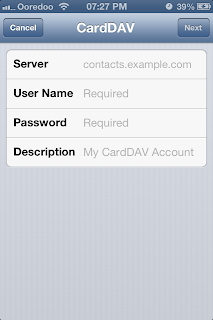
  5. Tap Add CardDAV account.
  6. Enter google.com for the server
  7. Enter User Name and Password of your GMail Account.
  8. Tap Done. 


Now go to your contact and watch the updated Contact list. (Give some time to the device to fetch your contacts from server) 

Note: You must need an active internet connection to update the contacts. :P

March 11, 2013

Madhuri Malayalam Software

MADHURI for Windows,  helps you to draft letters in malayalam  without changing your keyboard. Please read the following instructions before downloading Madhuri.

Instruction for Windows- 2000/Me/XP/Vista
  • Download the zip file.
  • Extract it.
  • This will Extract 3 files, Madhuri.exe. Achayan.dll, Mfc42.dll and folder called font.
  • Install those fonts in to your computer. 
    •  To do that copy those fonts and go to c:/windows/fonts > and paste it there.
  • Create a shortcut on the Desktop by Click Right key of the mouse > New > Shortcut and Browse to Madhuri.exe
  • Now you can start typing in 'Manglish' (Malayalam words in English Alphabet)  in the lower part of the Madhuri window. For Example copy "sathyamEva jayathE!" and paste in Madhuri.
  • You can view Malayalam typing in upper part of the window
  • Please note that you can't Format the letters in Madhuri; For this you have to copy the typed matter from the upper part (displayed in malayalam) and past in MS Word. After Pasting, Press Ctrl + A (Select all) and change the font to 'Kerala'. This helps you to Format your typings ( Format means: Increasing the font size, Bold, Italic, Underline and Alignment) Also note that you are not able to type directly in MS Word.  For that you have to come back to Madhuri.
 To Download Click the following link.
Download Madhuri
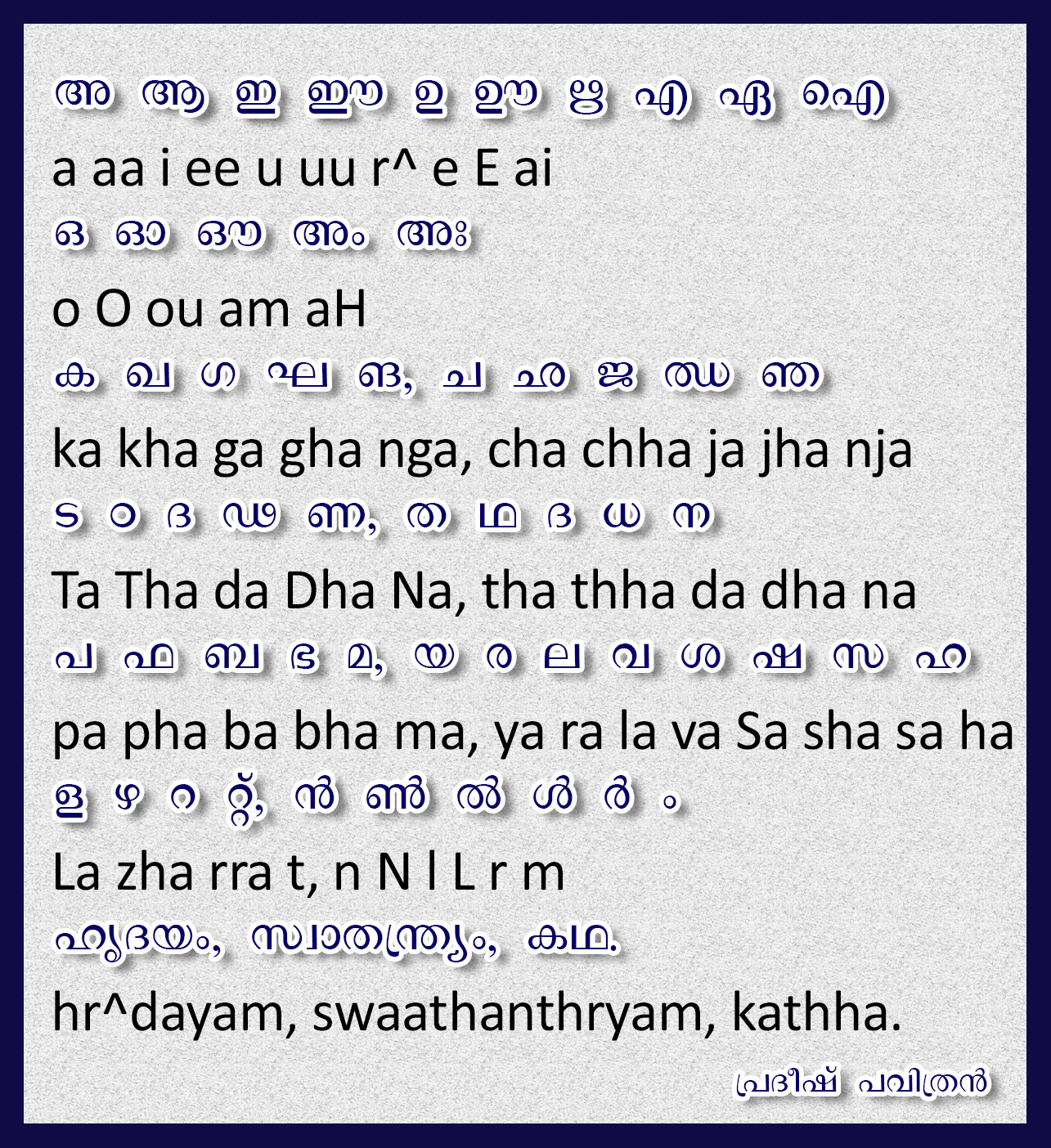
How to Type Malayalam and some examples are follows
  

December 02, 2012

How to create free Apple ID without credit card

Tutorial to create free Apple ID without credit card.

01) Install iTunes. Here in this I'm using iTunes 11
02) Open iTunes.
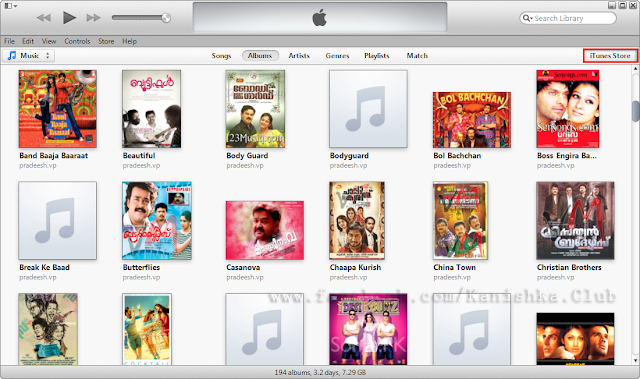
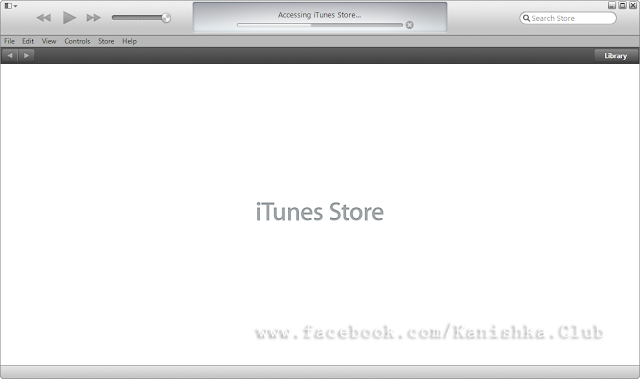
03) Select iTunes Store.


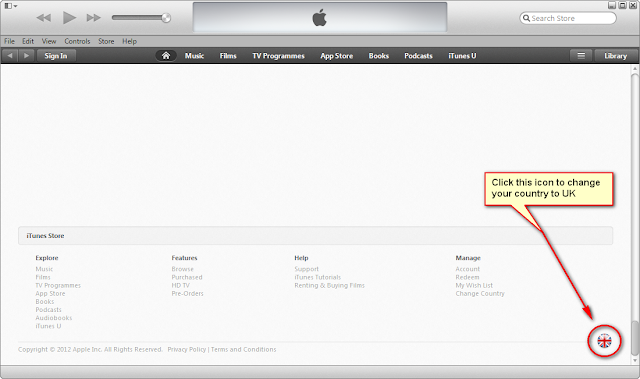
04) in the bottom right you can see a rounded flag, click on that and change your country to UK.

 
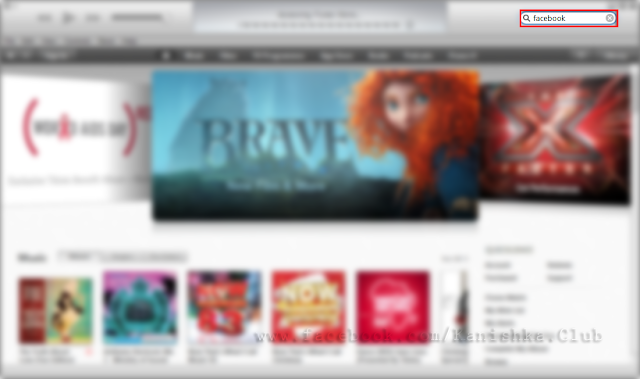
05) search for a free application (here I'm searching for facebook)


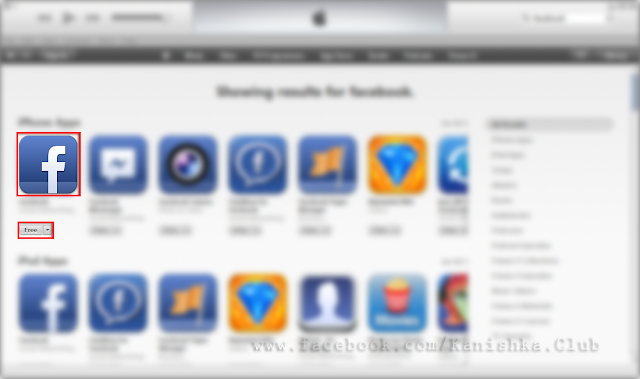
06) in the search result, below the application, you can see free button, click on that


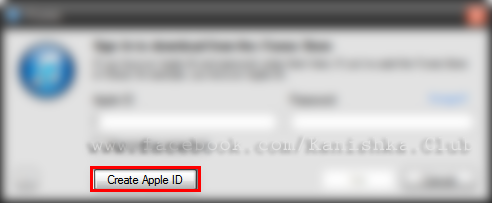
07) you will get a popup window to sing in, below that, you can see Create Apple ID button. Click on that ...


08) click Continue.


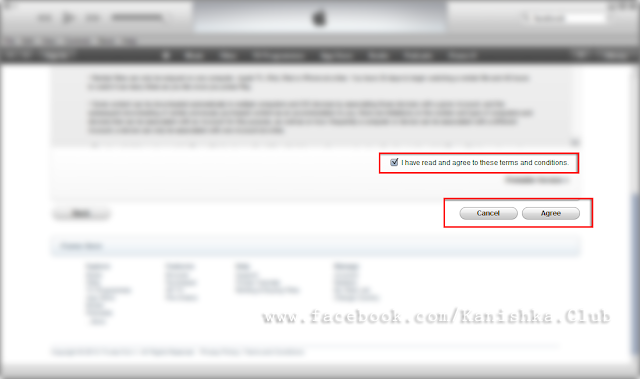
09)  Agree the conditions :)


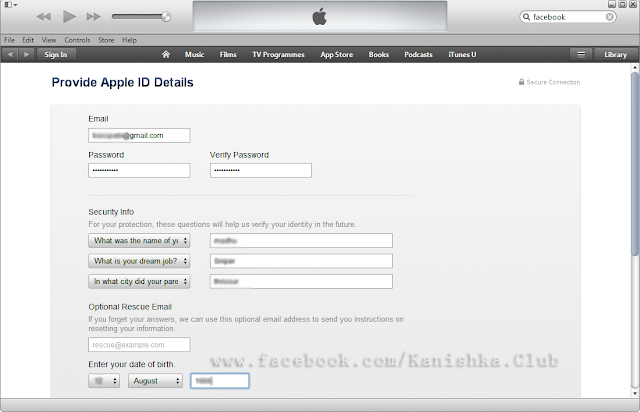
10) fill the details


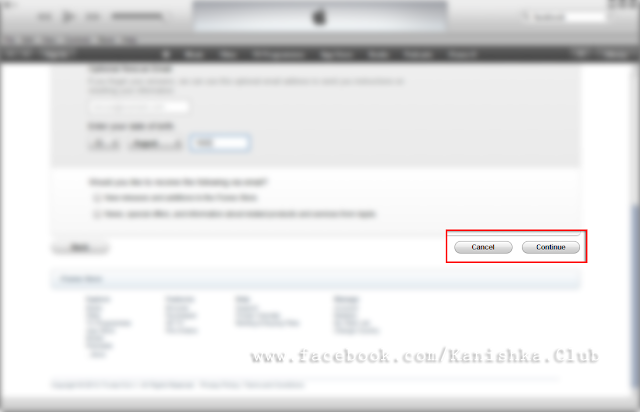
11) click continue


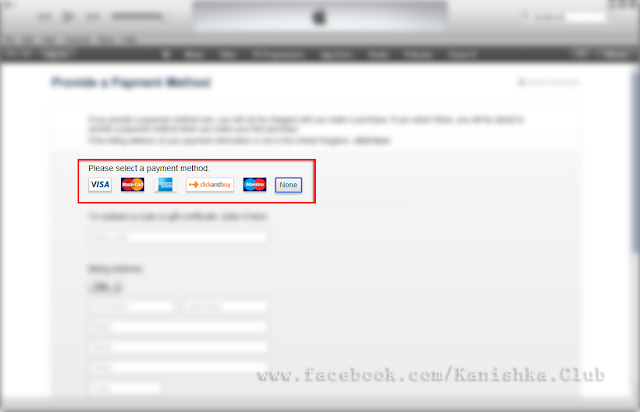
12) the None button is selected by default, fill the UK address.
(you can get it from web) Google for UK university address.


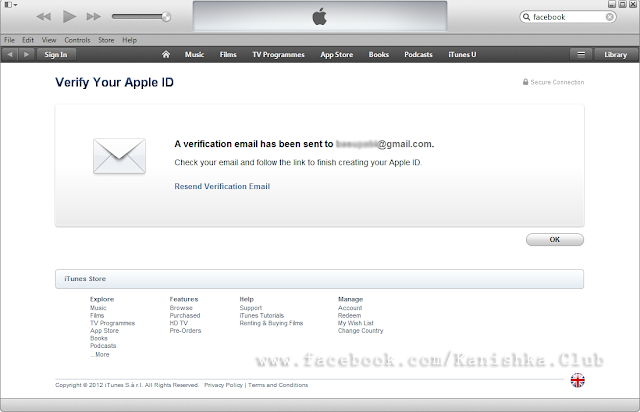
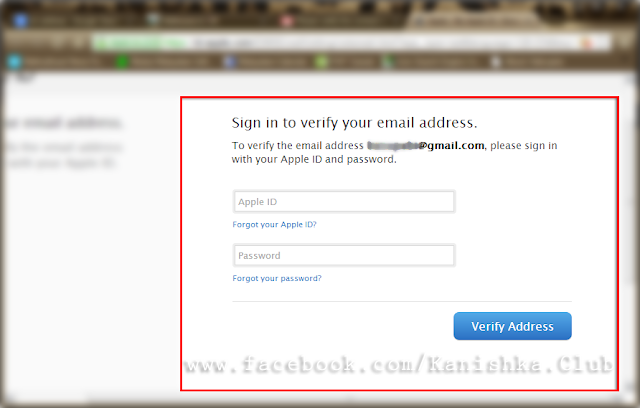
13) the last step is email verification, go to your email and click verify.


14)  Enter your Apple ID (it is your email) and password.


15)  You are ready to use your Apple ID in Apple Store.

Note: Go to settings in your iPhone and Select iTunes & App Stores or App Store and Sign in with your new ID and Password.
Njoy downloading your favourite Apps.

----------------------------------------------------------------
www.facebook.com/Kanishka.Club

November 01, 2012

Airtel DND Service

Activate Airtel Do Not Disturb Services at NCPR

Now you can stop unwanted promotional calls or messages on your Airtel mobile from telemarketers, advertising agency & etc., by registering yourself at NCPR (National Customer Preference Registry). DND (Do Not Disturb registry) has been replaced by NCPR, know more about NCPR (National Customer Preference Registry).
Upon registration with NCPR (old DND registry) you will not receive any unwanted promotional Calls / SMS / Messages and you will get confirmation within 24 hours with Unique Registration Number. And the DND services (now called as NCPR) activation will  happen within 7 days.
Check DND Status (NCPR) if already registered. For other Mobile services, visit DND (NCPR) Activate Service.
…………………………………………………………………………………………………………………………………..

Airtel subscribers register for NCPR (old Do Not Disturb) service

To Register NCPR – National Customer Preference Registry (replaced by DND registry) Services
You have to choose from below options.
Option 1: Fully Blocked Category. SMS START 0 to 1909
If  you wish you completely block all kind of SMS and do not want to receive any kind of promotional / unwanted commercial messages on your Airtel mobile, Send SMS “START 0” to 1909 (1909 is a toll-free number and no charges will be attracted).
 Option 2: Partially Blocked Category. SMS START < category number> to 1909
Do you feel like by activating DND on your Airtel mobile, you miss latest updates and commercial information about latest Bikes & Cars in the market, movies updates from your favorite websites, here you have an option.
Choose from your favorite category below you wish to receive commercial / promotional SMS and still keep all others away by activating DND services on your Airtel mobile number. Send SMS START 4 to 1909, if you wish receive messages only Health related. Like way you can choose any category you wish and also you can choose multiple categories to receive messages, i.e., you wish to receive Education and Health related commercial / promotional SMS, still activate DND on your Airtel mobile number, SMS START 3,4 to 1909.
Option No.Categories ListSMS to send
1Banking – Insurance – Financial Products – Credit CardsSTART 1
2Real EstateSTART 2
3EducationSTART 3
4HealthSTART 4
5Consumer Goods & AutomobilesSTART 5
6Communication – Broadcasting – Entertainment – ITSTART 6
7TourismSTART 7
(or)
Dial “1909” from your mobile and follow the instructions to activate DND on your Airtel mobile.
(or)
To De-Register DND (now called as NCPR) Services
Send SMS STOP  to 1909*.
Need to complaint? If you still receive a unwanted promotional / commercial SMS and Calls even after registered for NCPR (old DND registry), know how to complain unwanted promotional / commercial calls & SMS.
* 1909 is a toll free number, no charges applies.

January 22, 2012

GreenPois0n Absinthe For Apple A5 devices on 5.0.1

Jailbreak iPad 2 & iPhone 4s running on IOS 5.0.1


official download page


alternate download page


How To Use GreenPois0n: The Quick Guide

  1. Remember: greenpois0n is not an unlock, it is a jailbreak! (If you are unsure of the difference, stop reading now & become friends with a revolutionary new website called Google.)
  2. Download & extract greenpois0n from the .zip file, then launch greenpois0n.
  3. Attach your iPhone, iPad or iPod to your computer & click ‘Jailbreak’.
  4. Greenpois0n will automatically commence its DFU guide. If you know how to put your device into ‘DFU Mode,’ you can do this at your leisure; when done, greenpois0n will acknowledge a successful DFU operation.
  5. Press ‘Jailbreak’ again (if necessary) and let greenpois0n do its thing! You will see wonderful lines of text scroll on your device’s screen to assure you that something is happening.
  6. After a few magical seconds, greenpois0n will display a ‘Complete’ message. At this point, the greenpois0n injection is complete – just wait for your device to reboot automatically.
  7. Once your device has finished rebooting, double-check that you have an active internet connection, then locate & press the ‘Loader’ icon on your device. This action will download the Cydia app and install it for you.
  8. When Cydia has been installed successfully, your device needs to (& will automatically) reboot one final time.
  9. You’re done! Enjoy.

January 10, 2012

Untethered Jailbreak to iOS 5.0.1

IOS 5.0.1 Untethered Jailbreak Supported Devices

  • iPhone 4 (GSM – CDMA)
  • iPhone 3GS
  • iPod touch 4G
  • iPod touch 3G
  • iPad 1

Notes:

  • If you have one of those devices and are not on 5.0.1 yet, update now!  The SHSH window is still open for 5.0.1  If you unlock via ultrasn0w or gevey, make sure you only get to 5.0.1 via a custom IPSW!    Once you’re at 5.0.1, use the latest redsn0w 0.9.10 to both jailbreak and untether.
  • If you’re already at 5.0.1 with a tethered jailbreak, you have two choices: either run redsn0w 0.9.10 over your current jailbreak (deselect “Install Cydia” if you do that), or install the Cydia package prepared by the chronic devteam.  The patches are the same regardless of which you choose.
  • Some of you are using a hybrid 5.0/5.0.1 configuration.  If so, do not attempt to install this untether over that setup!  You will most likely get into a reboot cycle.  Do a sync and fresh restore to 5.0.1 then install the jailbreak + untether.

Jailbreak 5.0.1 Untethered iPhone 4, 3GS, iPod Touch 4G, 3G, iPad 1

Downloads

1. Download Redsn0w 0.9.10b1 (WindowsMac OS X).
2. Download iOS 5.0.1 stock firmware from here.
3. Download iTunes from here.


please follow this link for more information.

December 25, 2011

IrfanView

IrfanView is a very fast, small, compact and innovative FREEWARE (for non-commercial use) graphic viewer for Windows 9x, ME, NT, 2000, XP, 2003 , 2008, Vista, Windows 7.
It is designed to be simple for beginners and powerful for professionals.

IrfanView was the first Windows graphic viewer WORLDWIDE with Multiple (animated) GIF support.
One of the first graphic viewers WORLDWIDE with Multipage TIF support.
The first graphic viewer WORLDWIDE with Multiple ICO support.

Some IrfanView features:
  • Many supported file formats (click here the list of formats)
  • Multi language support
  • Thumbnail/preview option
  • Paint option - to draw lines, circles, arrows, straighten image etc.
  • Toolbar skins option
  • Slideshow (save slideshow as EXE/SCR or burn it to CD)
  • Show EXIF/IPTC/Comment text in Slideshow/Fullscreen etc.
  • Support for Adobe Photoshop Filters
  • Fast directory view (moving through directory)
  • Batch conversion (with advanced image processing)
  • Multipage TIF editing
  • File search
  • Email option
  • Multimedia player
  • Print option
  • Support for embedded color profiles in JPG/TIF
  • Change color depth
  • Scan (batch scan) support
  • Cut/crop
  • Add overlay text/image (watermark)
  • IPTC editing
  • Effects (Sharpen, Blur, Adobe 8BF, Filter Factory, Filters Unlimited, etc.)
  • Screen Capturing
  • Extract icons from EXE/DLL/ICLs
  • Lossless JPG rotation
  • Unicode support
  • Many hotkeys
  • Many command line options
  • Many PlugIns
Only one EXE-File, no DLLs, no Shareware messages like "I Agree" or "Evaluation expired"
No registry changes without user action/permission!
and much much more

Source: http://www.irfanview.com
Version: 4.32
File size: 1.46MB
Price: Free
FileName: iview432_setup.exe
Supported OS: Windows 98/Me/2000/XP/2003/Vista/Server 2008/7/NT

November 20, 2011

Unlocker

Ever had such an annoying message given by Windows?


  • It has many other flavors:
  • Cannot delete file: Access is denied
  • There has been a sharing violation.
  • The source or destination file may be in use.
  • The file is in use by another program or user.
  • Make sure the disk is not full or write-protected and that the file is not currently in use.


  • Unlocker is the solution!

    • 1. Simply right click the folder or file and select Unlocker


    2. If the folder or file is locked, a window listing of lockers will appear


    3. Simply click Unlock All and you are done!

    Download Mirror:
    32 Bit
    64 Bit


    Download from official Mirror:
    32 Bit
    64 Bit
    Official Site: http://www.emptyloop.com/unlocker

    October 20, 2011

    Format Factory

    Format Factory is a multifunctional media converter.


    Format Factory is a multifunctional media converter.
    Provides functions below:
    All to MP4/3GP/MPG/AVI/WMV/FLV/SWF.
    All to MP3/WMA/AMR/OGG/AAC/WAV.
    All to JPG/BMP/PNG/TIF/ICO/GIF/TGA.
    Rip DVD to video file , Rip Music CD to audio file.
    MP4 files support iPod/iPhone/PSP/BlackBerry format.
    Supports RMVB,Watermark, AV Mux.
    Format Factory's Feature:
    1 support converting all popular video,audio,picture formats to others.
    2 Repair damaged video and audio file.
    3 Reducing Multimedia file size.
    4 Support iphone,ipod multimedia file formats.
    5 Picture converting supports Zoom,Rotate/Flip,tags.
    6 DVD Ripper.
    7 Supports 60 languages


    OS requirements: Any Windows OS

    Original Download Link


    Alternate Download Link

    May 21, 2011

    May 14, 2011

    Zune (Desktop Theme)

    This special theme was created specifically for XP with the Zune player in mind. It will turn your task bar in and windows shiny metal dark and the start button to bright orange. The Zune theme also installs a cool Zune wallpaper image for you to enjoy.


    File size: 1.64MB
    File name: ZuneDesktopTheme.msi
    License: Free

    April 24, 2011

    Dangerous Dave


    Game information Also known as: Dangerous Dave in the Deserted Pirate's Hideout

    Developer: John Romero
    Publisher: Softdisk Publishing
    Platform Year: 1990
    Violence: No
    DOSBox: Supported

    Description
    Traditional platform game, collect as many points as possible and manage to get to the last level.
    Screen Shots


    File Size : 72.13 KB 
    Password: pradeesh

    April 01, 2011

    Hellcarrier (Game)

    Pilot your top class helicopter in a set of varying missions. Take out hostile forces, rescue POWs and make sure you upgrade your helicopter to stand a chance in the final fight against the terrorists. The game includes both desert and arctic missions. Select the co-pilot which most suits your needs and take off!


    Hellcarrier was originaly written for SAAB and AerotechTelub. Thank them that the game was released as freeware.

    Credits
    Design, graphics, music and code by Johan Peitz
    Sound FX from PD archives

    March 06, 2011

    Rohos Mini

    You share your computer with somebody but would rather keep your data private??? It’s not always possible. Using Google Chrome, Mozilla Firefox and Skype??? Well, for an experienced user it’s a piece of cake to find and look through your Skype chat’s logs without being signed into your account. And now you can keep all those gawkers away from your computer data with Rohos encryption programs.

    Hide folder” option in Rohos Mini Drive and Rohos Disk Encryption brings affordable and AES 256 strength encryption solution to your security issues by preventing unauthorized access to your private data in PC folders by local or network users. Your protected items can be quickly and easily rendered inaccessible to other users but are instantly accessible when you turn on your Rohos disk.

    What’s new:
    Added “Hide folder” option. No extra complicated steps to be taken to hide folder with your private data, just a few clicks.

    How it works:
    Turn on your Rohos disk -> click on “Hide folder” link in the program’s main window -> there are given predefined folders, e.g. My Documents, Google Chrome data, Skype, etc. You’ll need to choose a folder that will be linked with your Rohos disk.

    or
    you may specify manually the path to the whatever folder you wish to hide

    Click OK.

    From now on you folder will be encrypted and hidden, and accessible only after your Rohos disk is turned on. When it comes to Skype, Google Chrome and Mozilla Firefox – if Rohos disk is not turned on these applications won’t start.

    Manage encrypted and hidden folders

    You may cancel this encryption feature any time.
    • Open Rohos Disk Application and connect encrypted disk R:\
    • Click on “Hide Folder”
    • Choose an Application profile or select any path that you have encrypted previously.
    • Rohos application checks the folder and you may:
    1. Click “Restore Link” in order to re-link application profile folder with the profile folder you have on your Rohos disk. This will allow using a single Google Chrome profile on a few Windows computers.
    2. Click “Delete Link” if you uninstalled Application or you don’t want anyone to know you have this application profile encrypted with Rohos Disk. Next time you will need to use “Repair” in order to use Google Chrome.
    3. Click “Unhide Folder” if you want to cancel this encryption feature or you want to delete Rohos disk.
    Please note, this encryption feature links Google Chrome profile with your primary encrypted disk created in Rohos Disk (Rohos Mini Drive) application. By deleting encrypting disk you also delete your Google Chrome profile. If you forget your password from Rohos Disk you may loose your Google Chrome profile also. To prevent this use password reset file.
    Hide Folder functional requirements:
    1. There should be enough free space on Rohos Encrypted Drive to keep hidden folder data.
    2. Before starting “Hide Folder” operation make sure the Application you plan on hiding is not working. In other words this application should be closed.
    3. Hide Folder function does not support System folders and User Account folders. This will be implemented in next releases.
    Security benefits with Hide Folder feature:
    1. Allows encrypting any regular folder on the computer. Now you don’t need to drag and drop this folder into Rohos Disk as before.
    2. Password protect any Application folder, for example C:\Program Files\QQ
    3. Encrypt and hide your Skype chat, received files, contacts, Skype password
    4. Encrypt and protect Google Chome history, favorites, form data (credit card number), saved passwords. 2. And the option “Create Rohos disk within media file .AVI, MP3, MPG, WMV, etc” has been moved in lower right corner of the main window (see screen shot of the program’s main window).
      3. Rohos Disk Browser utility is turned into Rohos Mini Drive Portable. Rohos Developers have worked to add features that are one more step towards making completely portable encryption utility. Rohos Mini Drive portable will let you work with your data and applications from virtually encrypted disk on any PC without admin rights, and not only that – you are able to create new encrypted disks and change their password.